

Netura Google Merchant Center Tools for WooCommerce
Google Merchant Center Tools for WooCommerce
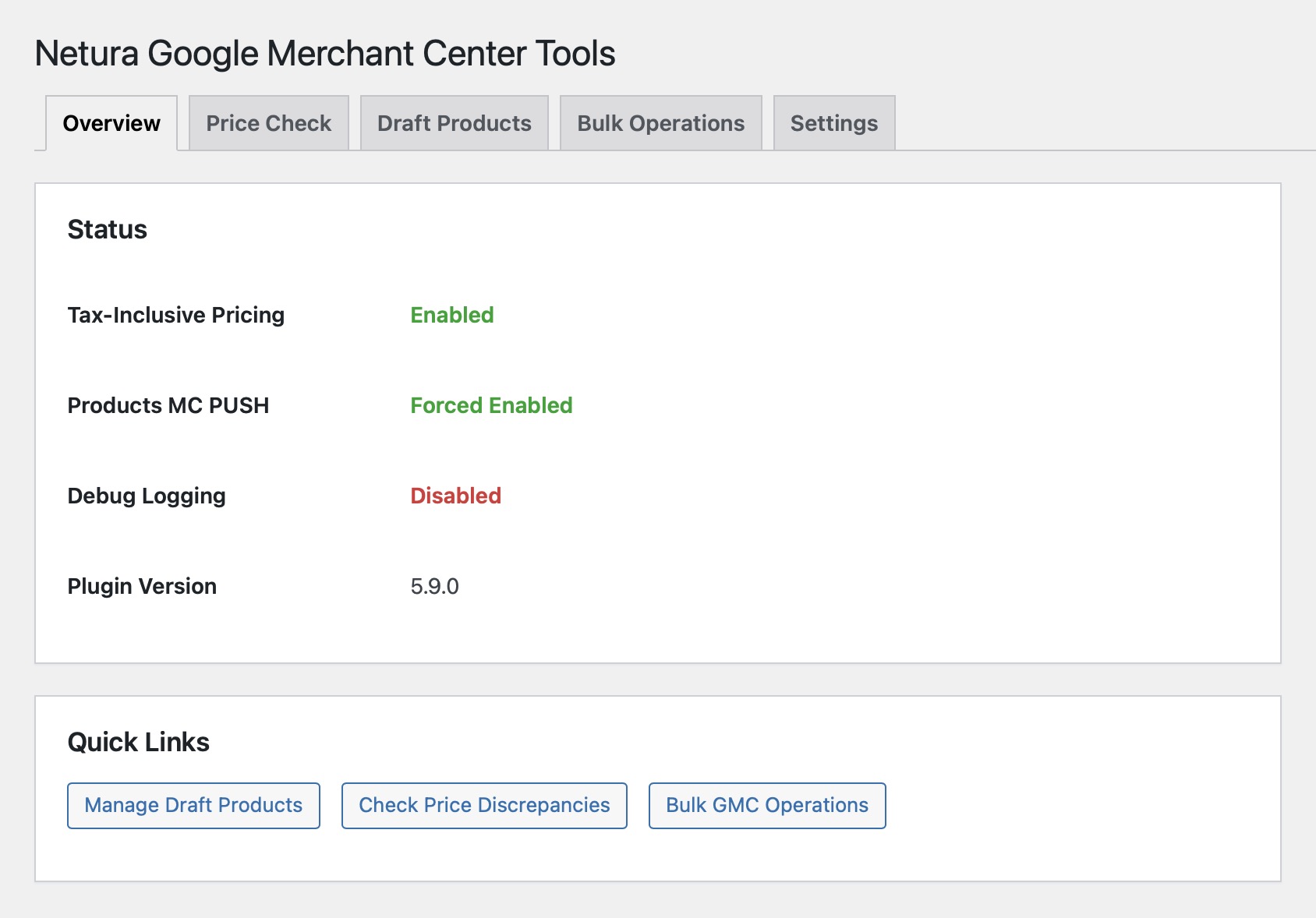
Take control of your Google Shopping feed. Fix VAT pricing, manage product attributes, clean up your feed, and run bulk operations that actually work at scale — all from your WordPress admin.
Extends Google for WooCommerce with the feed management tools it’s missing.
Your feed is the foundation
Google Ads campaigns are only as good as the product data behind them. Wrong prices, missing attributes, orphaned listings, and draft leakage all cost you money — in disapprovals, wasted ad spend, and lost sales. Netura GMC Tools makes sure what Google sees matches what you sell.
- VAT-inclusive pricing that actually works
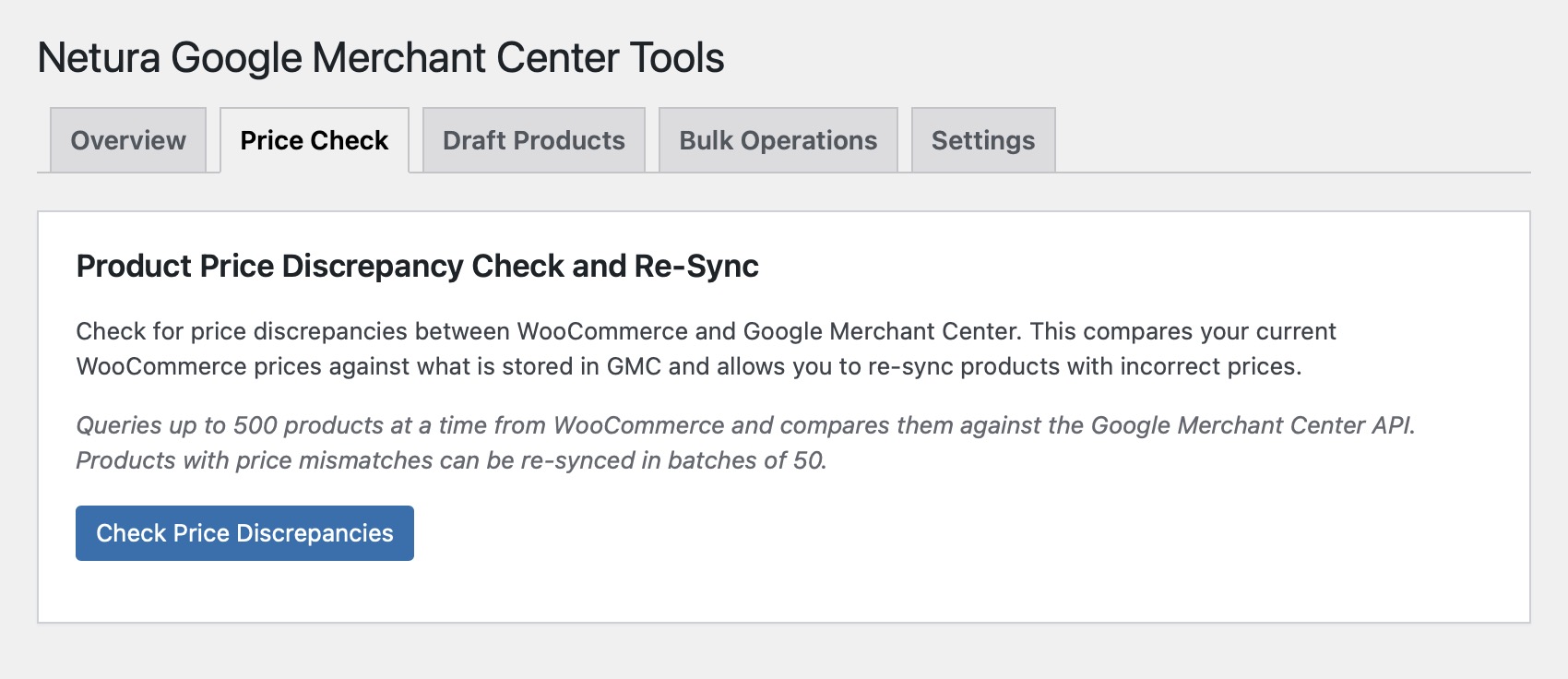
- Price discrepancy detection and bulk re-sync
- Granular attribute control (adult, condition, availability, brand)
- Feed preview — see exactly what Google receives
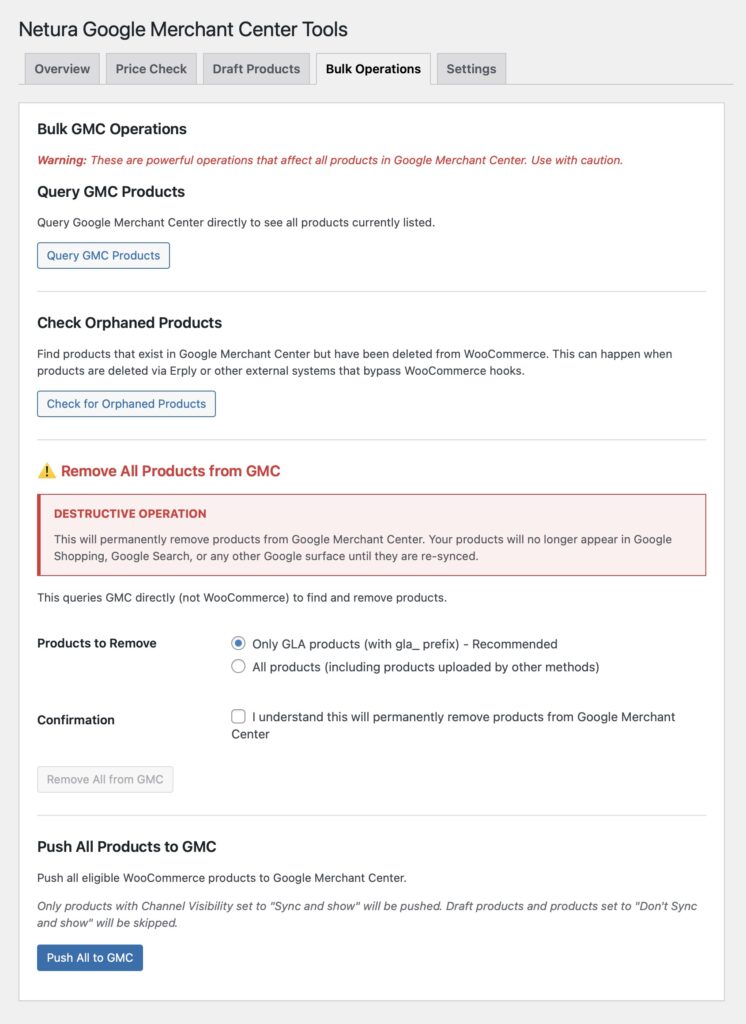
- Bulk operations for catalogs of any size
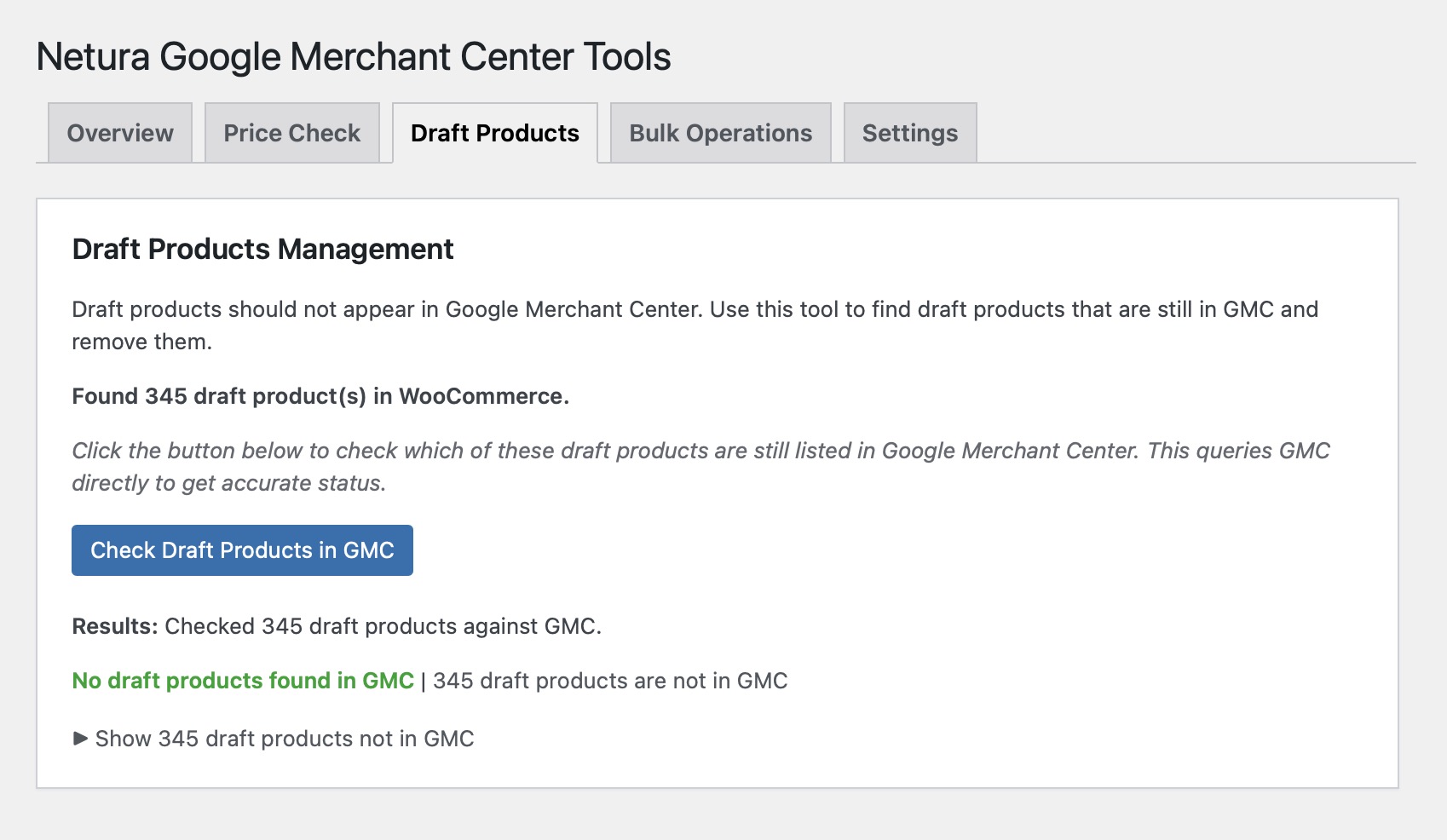
- Orphaned and draft product cleanup
Screenshots
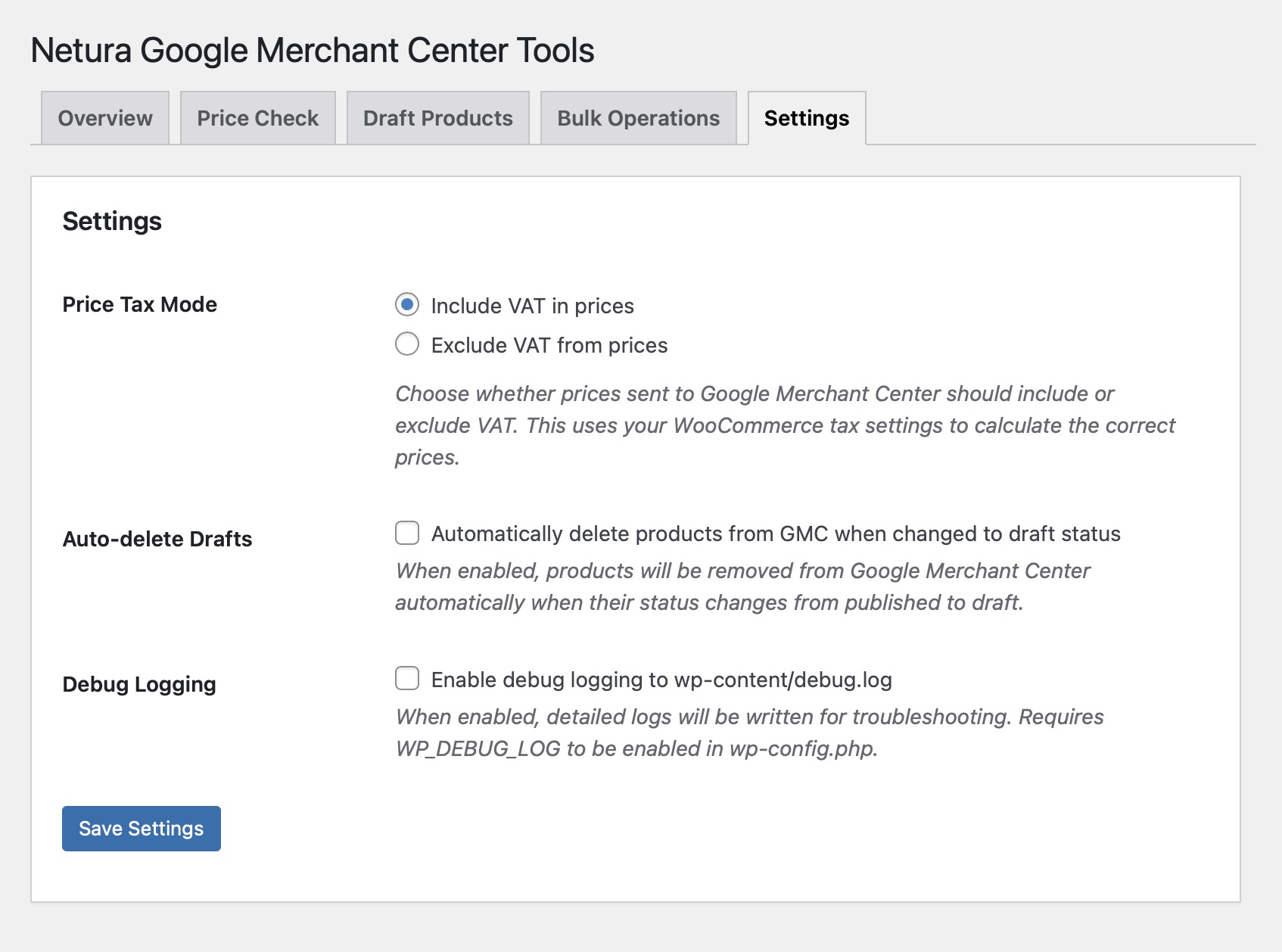
Key Features
VAT-Inclusive Pricing
EU stores need tax-inclusive prices in their feed — Google for WooCommerce doesn’t handle this reliably. Netura GMC Tools forces correct tax-inclusive prices using your WooCommerce tax settings. Configurable include/exclude with automatic calculation.
Feed Quality Tools
- Price discrepancy checker — compares WooCommerce vs GMC prices product by product, bulk re-syncs mismatches
- Draft product cleanup — finds products stuck in GMC after being unpublished in WooCommerce
- Orphaned product detection — catches products deleted outside WooCommerce (via Erply, POS, or direct DB operations) that linger in your GMC feed
Bulk Operations That Scale
Push thousands of products without Action Scheduler timeouts. Configurable batch size, adjustable mid-operation, with save/resume for interrupted pushes. Essential for catalogs over 1,000 products.
Granular Attribute Control
Control product attributes at four levels: global default, per-category, per-brand, per-product.
- Adult product flagging — one store can show lubricants as non-adult (full ad reach) and vibrators as adult (restricted but compliant)
- Backorder availability strategy — per-category control over whether to show “in stock” or “backorder with estimated date”
- Condition overrides — set product condition at any level
- Brand fallback chains — automatic brand resolution when product data is incomplete
Feed Preview
See exactly what Google receives — the actual processed feed data with all overrides applied. Uses the same pipeline Google for WooCommerce uses internally. Not a guess. Exportable as TSV/CSV.
Backorder Availability Strategy
For stores with high backorder ratios (common in dropshipping and specialty retail). Configure per category whether to show “in stock” (better CTR) or “backorder with estimated date” (more transparent). Includes supplemental feed endpoint for GMC.
How It’s Different
Google for WooCommerce gets your products into Merchant Center. Netura GMC Tools makes sure they’re correct once they’re there — right prices, right availability, right attributes, no orphaned listings, no draft leakage. The difference between “synced” and “synced correctly.”
Other feed management plugins (CTX Feed, Product Feed PRO) generate their own feeds from scratch. Netura GMC Tools works with GLA’s existing pipeline — same connection, same sync, but with the controls and visibility that GLA is missing. No duplicate feeds, no conflicting sync mechanisms.
Who Is This For?
EU/UK Stores with VAT
Google for WooCommerce doesn’t handle tax-inclusive pricing correctly. This is a legal requirement for EU merchants — fix it with one setting.
Stores with Restricted or Adult Products
Fine-grained control over Google’s adult attribute. Configure at global, category, brand, or product level. Keep compliance without losing ad reach on non-restricted products.
High-SKU Catalogs (1,000+ Products)
GLA’s built-in sync breaks down at scale. Bulk operations with configurable batch sizes, save/resume, and no Action Scheduler dependency.
Stores Using Erply or External Systems
When products are deleted outside WooCommerce, they leave orphans in GMC. Detect and remove them automatically.
Agencies Managing Multiple Feeds
Feed preview and attribute overrides give you the visibility and control needed to manage Shopping feeds across client stores.
Frequently Asked Questions
Does this replace Google for WooCommerce?
No. This plugin extends Google for WooCommerce — it uses its existing GMC connection. You need Google for WooCommerce installed and connected first.
Why are my GMC prices wrong?
Google for WooCommerce sometimes sends prices without VAT even when your store displays prices with VAT. This plugin forces the correct tax handling based on your setting.
What are orphaned products?
Products that exist in GMC but have been deleted from WooCommerce. This happens when products are deleted via external systems (like Erply) that don’t trigger WooCommerce hooks.
Will bulk operations break anything?
Operations are batched and rate-limited to avoid API throttling. Destructive operations require confirmation. Batch size is adjustable during operation, and interrupted operations can be resumed.
How does feed preview work?
The plugin uses the same internal pipeline that Google for WooCommerce uses to process products. You see the actual data Google would receive, with all your overrides applied — not an approximation.
Requirements
Software
- WordPress 5.0+
- WooCommerce 5.0+
- Google for WooCommerce (connected to GMC)
- PHP 7.4+
Google Merchant Center
- Active Google Merchant Center account
- Connected via Google for WooCommerce
- No additional API setup required
Ready to Fix Your Feed?
Stop guessing what’s in your Google Shopping feed. Get visibility, fix problems, and keep your product data accurate.
Get in touch to discuss your feed management needs.
Interested in this solution?
Tell us about your project and we'll figure out the best approach together.