
Deleting Customer Data from WooCommerce
 Joona Nuutinen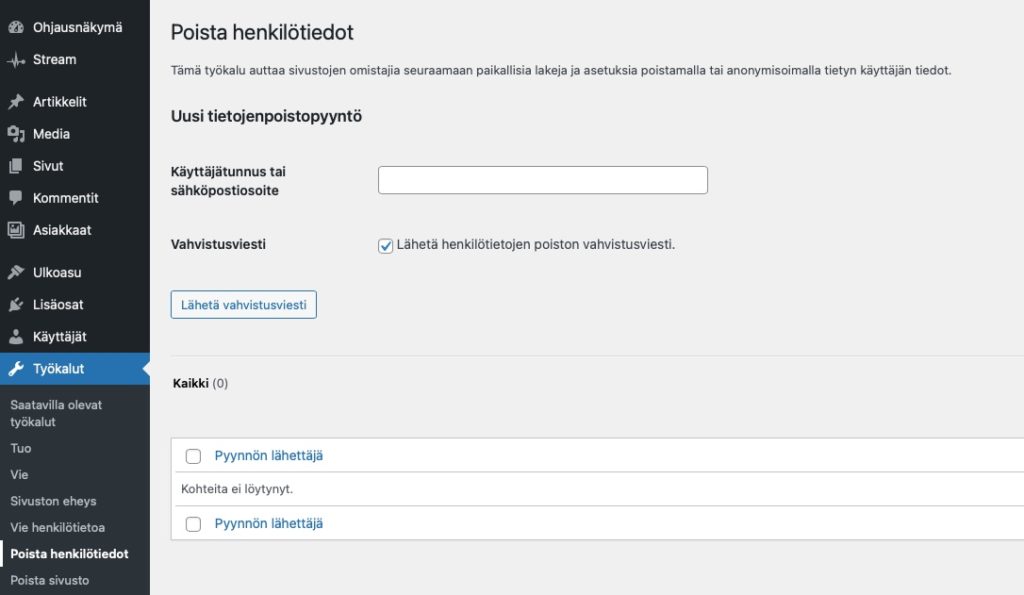
Sometimes customers want to have their personal data removed from the WooCommerce customer registry. WordPress has a built-in tool for this that also notifies the customer about the deletion of their personal data.
Log in to your site’s admin panel and navigate to Tools > Erase Personal Data. Enter the customer’s email address associated with their account in the search field.
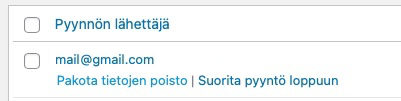
The tool sends a request to the customer’s email, from which they can confirm the data deletion. If the customer has already requested the deletion of their personal data, you can force the deletion after the confirmation message has been sent.
Note that personal data can only be deleted with Administrator-level credentials.